Before you start
- An email address you can access
- A short coaching introduction
- A photo you have permission to share
- The tour dates you can commit to in Vietnam time
Create your coach profile online
Every coach can join. Open the coach workspace and choose Create my profile. Enter your name, email, sport, location, coaching languages and a short introduction. Click Create profile & verify email, then open the sign-in link in your email. No invitation or password is needed.
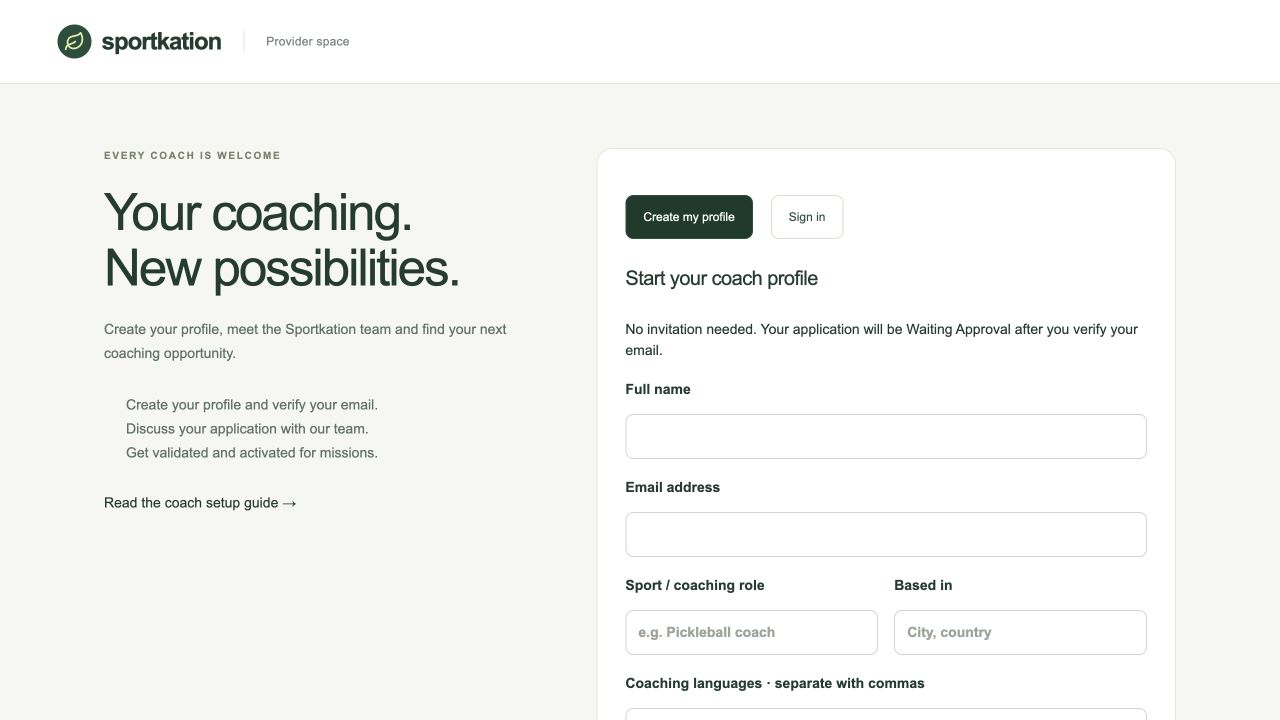
Your application is now Waiting Approval. The team receives an email to review it. To return later, choose Sign in and request a new email link. Each email link works once and expires in 30 minutes.
Introduce yourself in My profile
Open My profile, then Edit public profile. In Story, add a short headline, an introduction, your coaching approach, the sports and levels you teach, and a few highlights. Add genuine qualifications, player ratings and tournament results under Credentials & results. These extra details are optional.
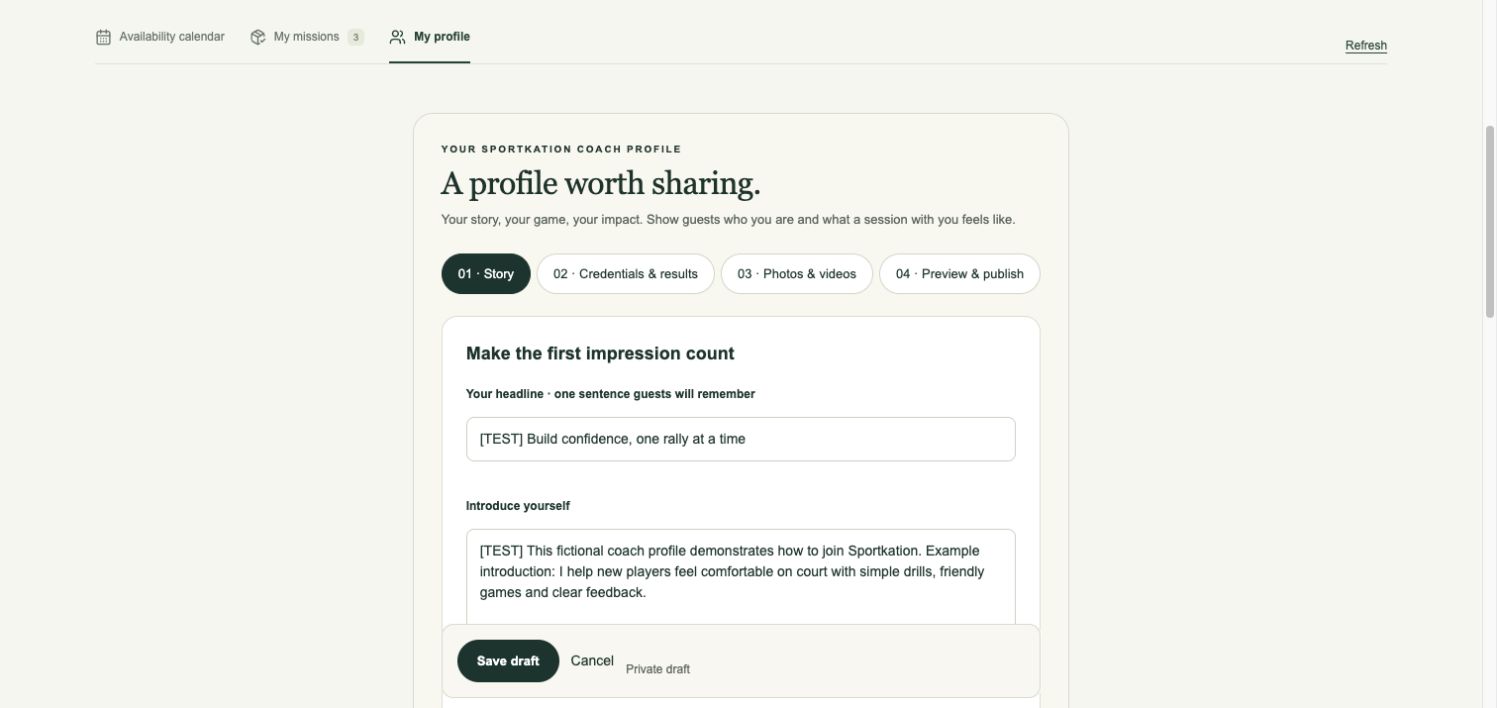
Scroll to Your contact & working details and choose Update my details to check your email, phone, location, languages and equipment. You can also update your name and coaching role yourself. Click Save my details when you finish. Your verified sign-in email stays protected; message the team if you need help with it.
Get reviewed, then publish your profile
Complete your story, photos, qualifications and results, then Save draft. Use Messages to discuss your application with the team. Once your status is Validated, publication becomes available. In Preview & publish, tick Publish my Sportkation profile and save. A headline, introduction, sport and cover photo are required.
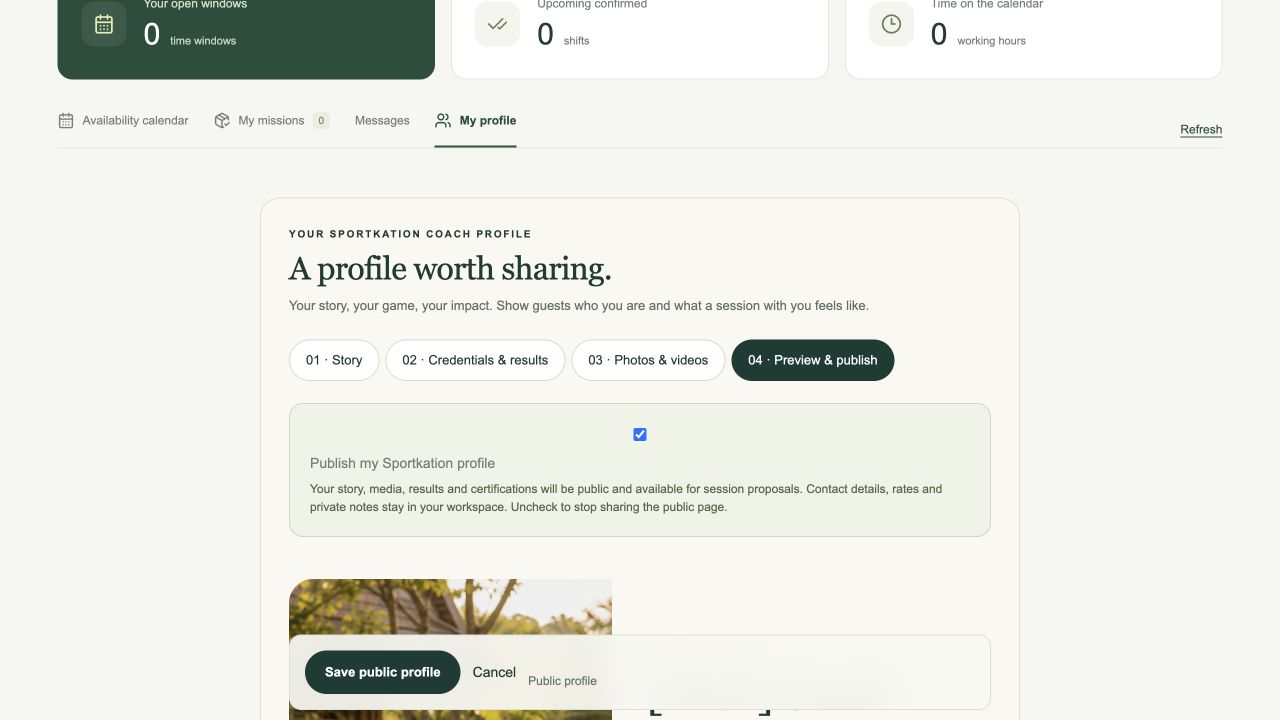
Waiting Approval means your profile is under review. Validated means approved to publish. Active means ready to receive missions. Inactive pauses public visibility and new missions while keeping your profile, history and team conversation accessible. Status changes and new messages trigger email notifications.
Choose the tours you want to join
Open Tour calendar and browse upcoming tours. Select a highlighted date to see its tours, or choose Show all tours. Read the tour dates and venue, then click Join this tour. Your commitment to those dates is confirmed immediately and appears in My missions. All dates use Vietnam time, GMT+7.
Joining opens when your coach profile is Active. Overlapping missions block joining another tour. Agree working hours, fees, equipment and travel arrangements with the team, who can add your coaching brief without asking you to confirm the same dates again. Message the team if you need to withdraw.
Review and answer each mission proposal
Open My missions or click Review proposals. Read the session date, working hours, location, duties, materials, meeting point and contact details. Choose Accept mission if the arrangement works for you, or Decline and explain why. Complete the confirmation in the response form.
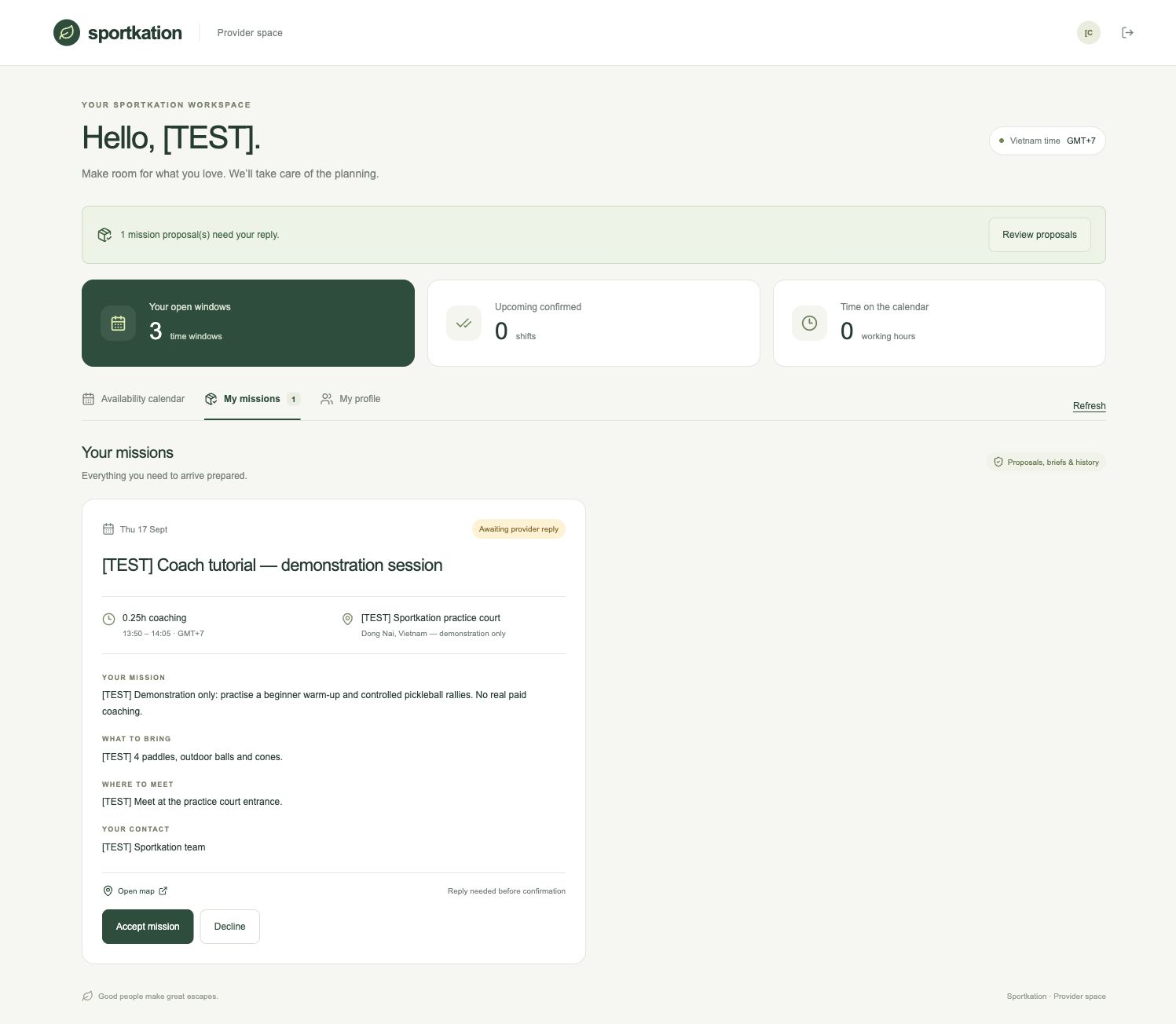
Agree your fee and any travel or payment arrangements with the team before accepting. Accepting also marks the brief as read. If the team recorded your agreement for you, click I’ve read the brief after checking the details. Use Open map for directions when a map is provided. Refresh the workspace to check for updates.
Finish your mission and follow your progress
After the mission’s scheduled end time, open My missions and choose Complete & add handover. Write a short summary of the session and anything the team needs to follow up, then save. The mission stays in your history.
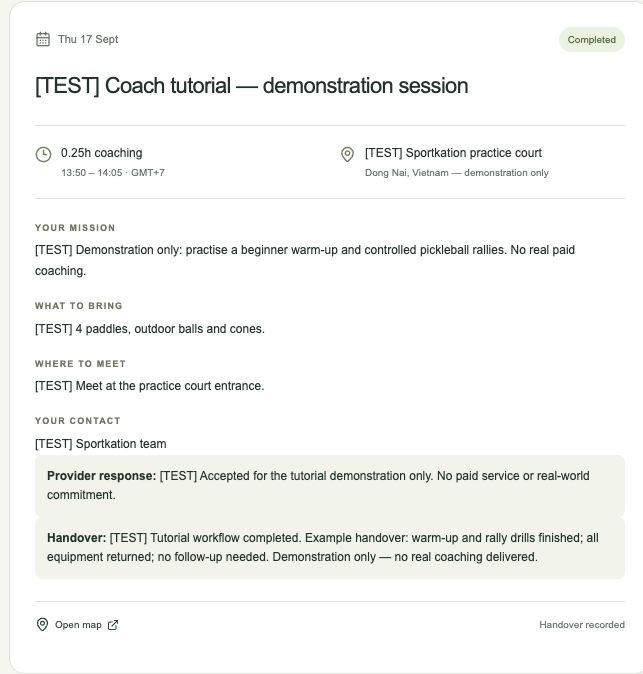
In My profile, open Session stats & reviews. Once the session has ended, completed missions contribute to your activity totals. Guest ratings come from the post-session questionnaire; private comments remain visible only to you and the team. Use Refresh session reviews to check for new feedback.
Need a hand?
My link does not work.
Open the coach workspace, choose Sign in and request another email. Use the newest link within 30 minutes; each link works once. Check your spam folder. Sign out when using a shared device.
I cannot save my changes.
Read the message beside the form. Complete the required fields and use full https links for media and credentials. If the profile changed elsewhere, refresh and review the latest details before trying again.
I need to change an accepted mission.
Use Messages in your workspace to contact the team. Joining a tour confirms its dates. If the team changes the brief, review the new proposal before agreeing again.
Share this guide and your public coach profile. Keep your email sign-in links private. Screenshots use a demonstration account.